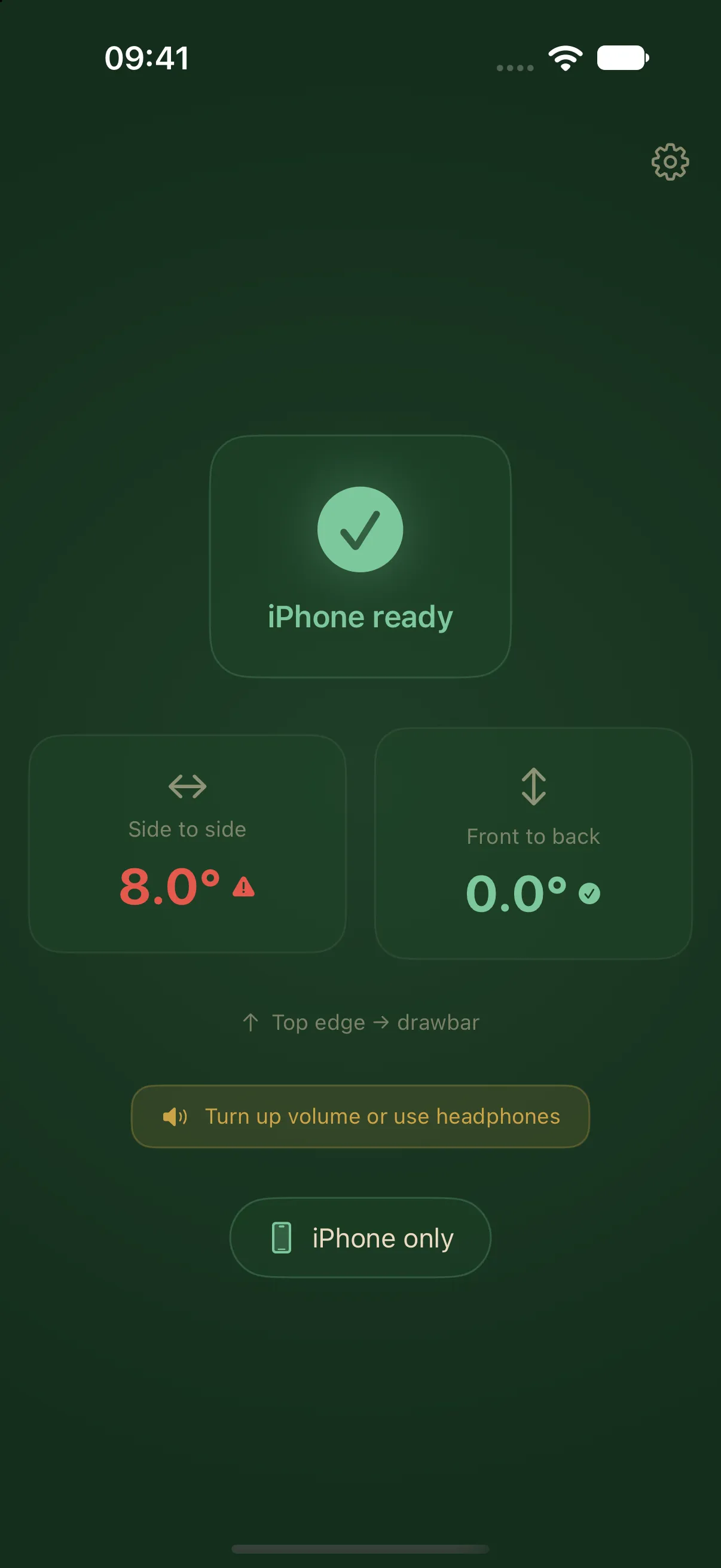
Level side to side, then front to rear
LevelMate guides you through two axes when levelling a caravan. It measures side-to-side tilt between the left and right sides first. It then moves to front-to-back tilt between the rear and the drawbar. The iPhone stays inside the caravan and speaks the directions in the free iPhone mode.
You do not need an account or a separate sensor. The iPhone app requires iOS 26.2 or later. The interface and spoken guidance are available in English and German.
Understand the directions on the caravan
Directions refer to the caravan when facing forwards towards the drawbar. “Raise the left side” and “Raise the right side” refer to those sides of the caravan. For the front-to-rear axis, the prompts are “Raise the front” and “Lower the front”.
Follow your caravan and accessory handbooks for the physical adjustments. LevelMate measures tilt. It does not operate brakes, ramps, or corner steadies. Swift covers levelling in section 5.12 of its caravan handbook, for example. Use the manufacturer’s instructions for your particular model.
Measure with LevelMate
- Open LevelMate on the iPhone. For free use, select This iPhone alone in settings.
- Put the iPhone screen down on a firm surface inside the caravan. Point its top edge towards the drawbar.
- Wait for the app to recognise the measuring position. Leave the phone there and keep the app open.
- Follow the lateral prompt first, then the longitudinal prompt.
- Check the measurement again if you move the caravan or the iPhone.
The iPhone placement guide explains how to choose a suitable surface. The phone measures its own orientation. A soft seat or sloping shelf can therefore give a different result from the caravan floor.
Read the status and angle together
The threshold for level is an absolute angle below 0.3°. Below 1.0° counts as almost level. These thresholds are fixed. Visible angles are rounded to 0.5° steps. That rounding does not specify sensor accuracy or guaranteed measurement accuracy. Follow the status together with the current direction prompt.
Calibration is normally unnecessary. For a fixed mount, you can save a reference while the caravan is independently known to be level. The calibration guide explains when to use this option and how to reset it.
Receive the guidance outside
Pro sends measurements to an Apple Watch, a second iPhone, or an iPad. The iPhone inside the caravan still measures. An iPad is a receiver only. Pro is a one-time in-app purchase with no subscription. Customers who bought the earlier paid app keep Pro.
Continue with Apple Watch setup or second-device setup.