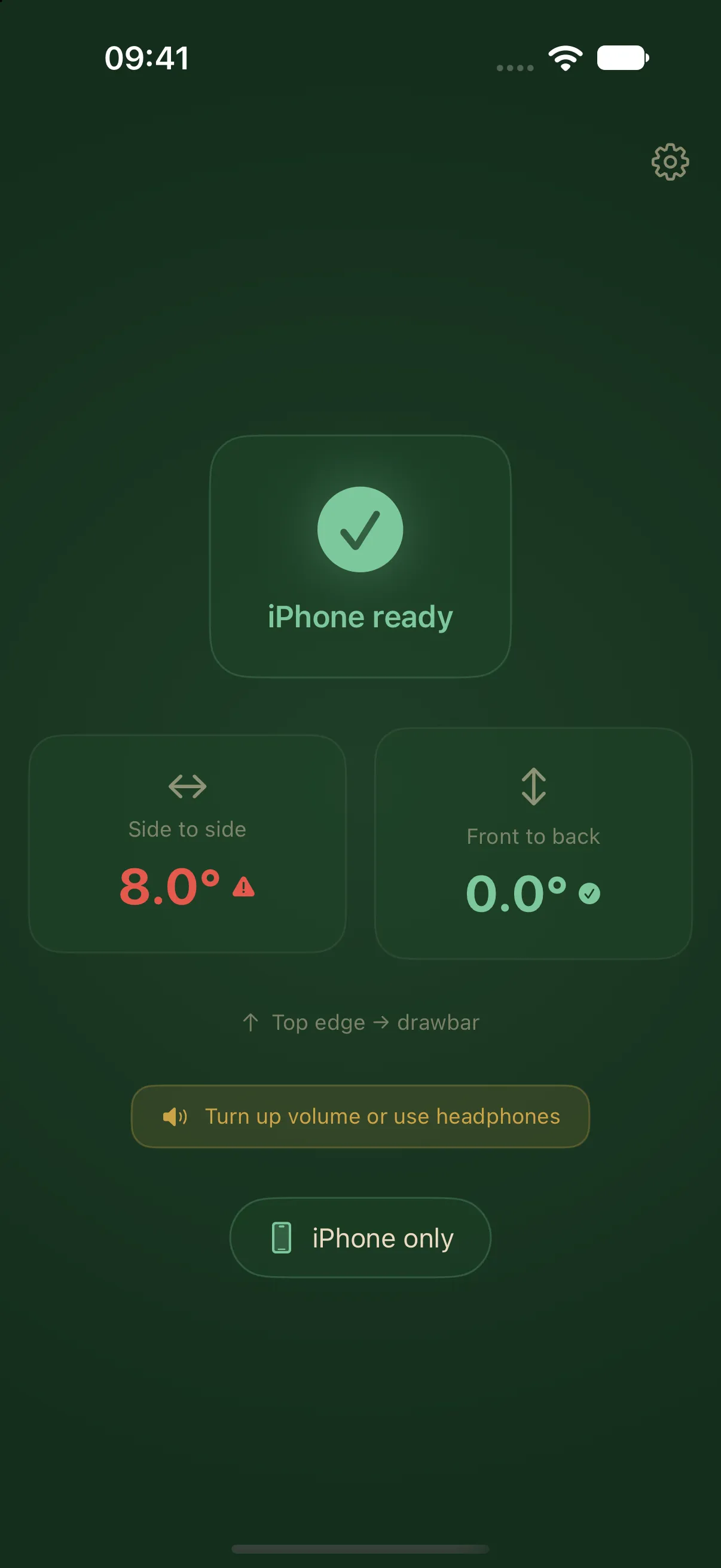
The iPhone measures the tilt
LevelMate uses the iPhone’s motion sensors as a spirit level for your caravan. Place it screen down on a firm surface with its top edge towards the drawbar. The app recognises this position and guides you through side-to-side tilt first, then front-to-back tilt.
In the free This iPhone alone mode, the iPhone measures and speaks the next directions. You do not need a separate sensor, an Apple Watch, or an account. The app requires iOS 26.2 or later. Its interface and spoken guidance are available in English and German.
Choose a suitable measuring surface
Choose a firm surface that stays in place throughout the measurement. Avoid soft seats, loose cushions, and shelves that flex. The iPhone measures its own orientation. Its reading represents the caravan only when the supporting surface reflects the caravan’s position.
Check that the phone rests flat without rocking. You can leave a case on if it does not prevent stable contact. Look for cables or objects underneath. Point the phone’s top edge towards the drawbar. Otherwise, the direction prompts will not match the caravan’s orientation.
Start measuring
- Open LevelMate and select This iPhone alone in settings.
- Put the phone screen down with its top edge towards the drawbar.
- Wait for the app to recognise the measuring position. If it does not, check the orientation and supporting surface.
- Leave the iPhone in place and keep LevelMate open. Listen to the side-to-side guidance first.
- When the app moves to front-to-back tilt, follow the current prompt for the front.
Left and right mean the caravan’s sides when facing forwards towards the drawbar. The prompts refer to the caravan. You do not need to rotate the iPhone to follow them. The caravan levelling guide explains both axes and the fixed status thresholds.
Check unexpected readings
Check the placement first. Is the screen facing down? Does the top edge point towards the drawbar? Is the support firm? Then check whether you previously saved a zero point. A saved calibration survives an app restart and may be unsuitable at a new measuring position.
Calibration is normally unnecessary. It is intended for a fixed mount while the caravan is independently known to be level. Use Reset calibration to remove the saved reference. The calibration guide explains the procedure.
Bring the display outside
Pro enables reception on an Apple Watch, a second iPhone, or an iPad. The iPhone inside the caravan remains the measuring device. An iPad does not measure by itself. Pro is a one-time purchase with no subscription. Continue with Apple Watch setup or second-device setup.