Free on iPhone
Your iPhone as a caravan spirit level.
Your iPhone measures inside the caravan and tells you which side to adjust. You do not need a second device to try LevelMate.
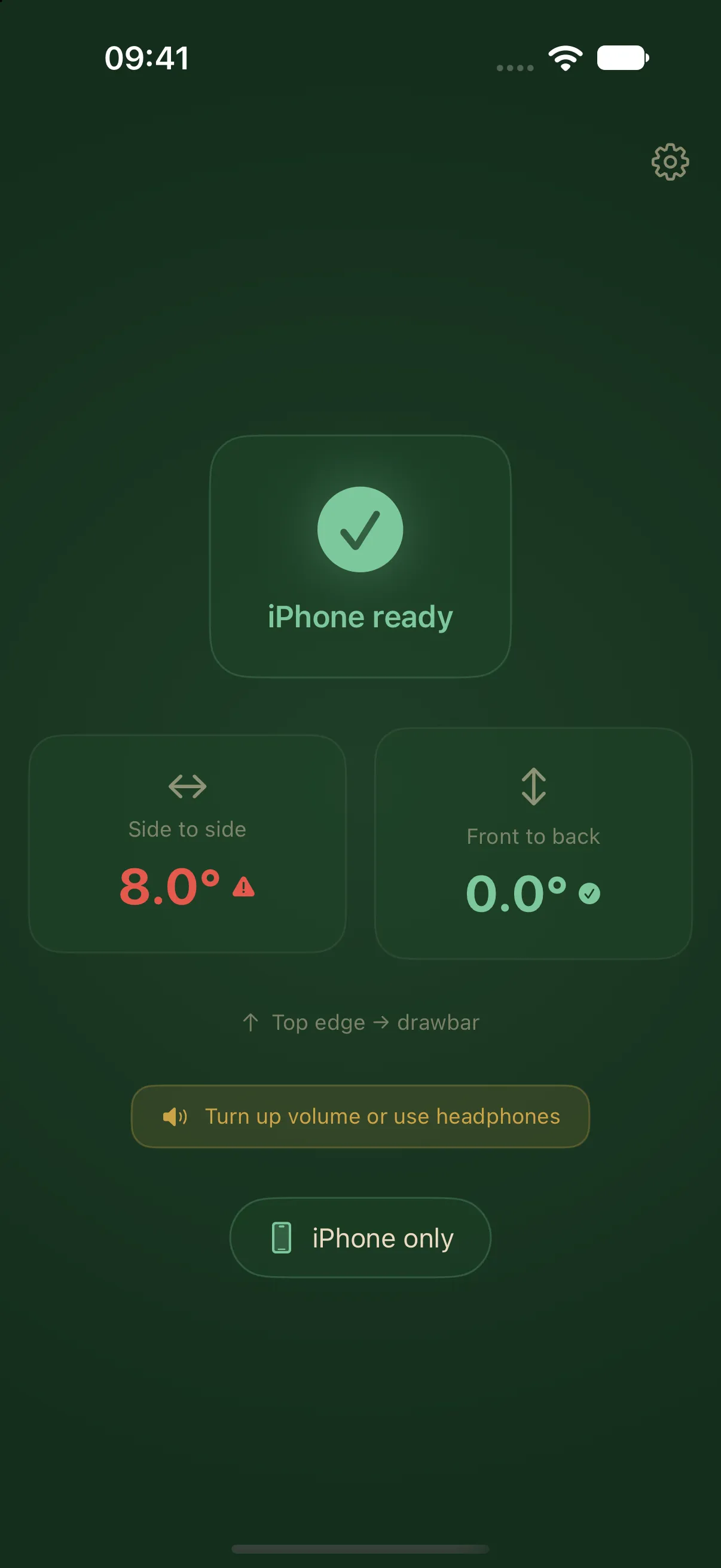
Place your iPhone and measure
Place the iPhone screen down on a firm, suitable surface in your caravan, with its top edge towards the drawbar. The measuring view shows side-to-side and front-to-back tilt. Choose a safe position for the device.
Side to side, then front to back
LevelMate guides you through both axes. Spoken instructions accompany the display. Follow your equipment manufacturer’s instructions when operating ramps and the drawbar.
Try it at your own pace
The onboarding lets you get to know the measuring display and spoken guidance. Moving the iPhone changes the readings, helping you understand the feedback before using it at a campsite.
Want a separate screen outside?
Pro adds guidance on Apple Watch, a second iPhone or an iPad. The measuring iPhone stays inside the caravan. Measurement and spoken guidance on a single iPhone remain free.
Save a reference position
For a fixed mount, save an independently established level position as zero. Calibration is normally unnecessary. Reset the calibration after changing the supporting surface.